
Choose the right order path
Oopbuy takes orders along four official paths: keyword search, link paste, the DIY Orders form, and its own Mall. Which one you need follows from three answers. Pick them and the resolver names the path, the exact screen it starts on, and the one caveat worth knowing before you commit.

Each path gets its own walkthrough with screenshots on the order paths page.
Four ways into an Oopbuy order
This page is how to use Oopbuy from first link to parcel. Every order starts by getting an item into the cart, and there are exactly four official doors: search, paste, the DIY form, and the Mall. The route picker on the home page resolves your case; this page walks each door with the real screens.
Keyword search, when you have no link yet
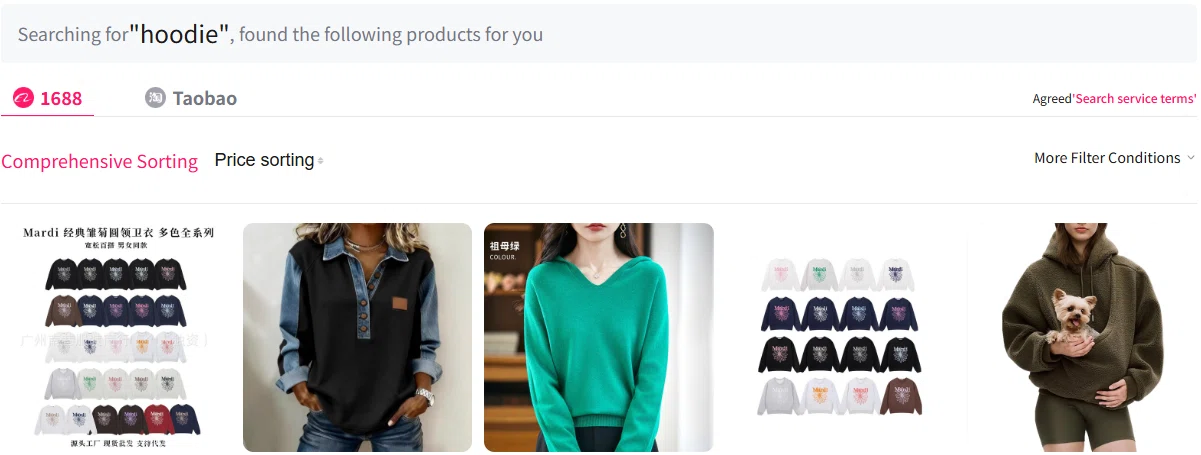
Type a product word into the search bar and the results come back in two source tabs, 1688 and Taobao. The tab order matters: 1688 lists wholesale sellers, so the same hoodie often appears cheaper there but with stricter colour-batch quirks, while the Taobao tab leans retail. Work both tabs before judging a price, and use the sorting row rather than scrolling raw results.
Link paste, the shortest path
The same search bar swallows full product URLs from Taobao, 1688 and Weidian; the three source icons inside the field are the published promise of that. Paste the link and the item resolves to an order page with the seller’s variants mapped out.
One habit prevents most wrong-variant orders: open the seller page first, choose colour and size there, then paste the link and re-select the same variant on the agent side. The link alone does not always carry your chosen variant with it.

DIY order, for links the parser rejects
Anything the search bar cannot parse goes through the DIY Orders form. The official header on that page sets expectations in three short lines: fill in and submit product information, pay for the product and shipping fee, wait for the seller to ship. Below it the form asks for the product link, a name, specifications, an optional message to the buyer and up to five images under 2 MB each.
The first-order help article adds the honest caveat: platforms the operator cannot verify can mean an extra service fee, a failed purchase or shipping limits. Budget a day of buyer back-and-forth on DIY orders; the message field is where you prevent it.

The Mall, stock without a middle seller
Foundry Select is Oopbuy’s own storefront: platform-held stock, bought from the platform directly, with the agent and the seller collapsed into one party. That removes the purchase-wait leg, though warehouse, parcel and shipping steps continue as normal.
Mall listings print prices in dollars, which makes them feel familiar; remember those prices live on the same internal conversion rate as everything else on the site, so the fees page applies to the Mall too.

The account every path funnels into
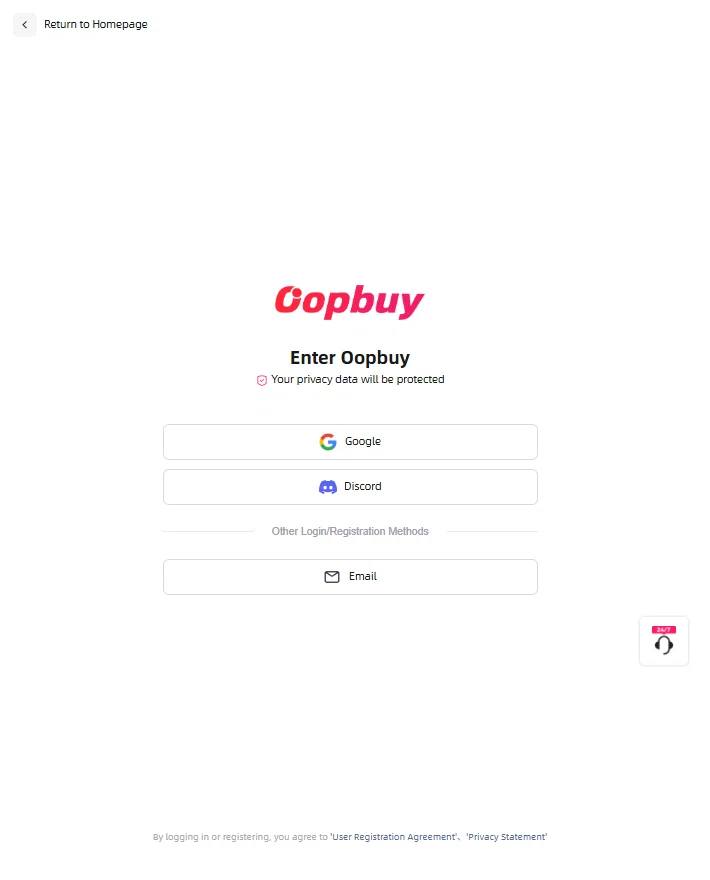
All four doors end at the same account screens: top-up or pay, watch the item reach the Xiamen warehouse, read the inspection photos, submit the parcel, pay shipping. Registration takes an email or an existing Google or Discord login, and the entry screen says so in exactly those three buttons.
Two payments, one order: the product leg first, the shipping leg after the parcel is weighed. That split is the operator’s own published design, quoted on the fees page with its source.
Last reviewed: 2026-10-11.